

How is each kit’s list worked out?
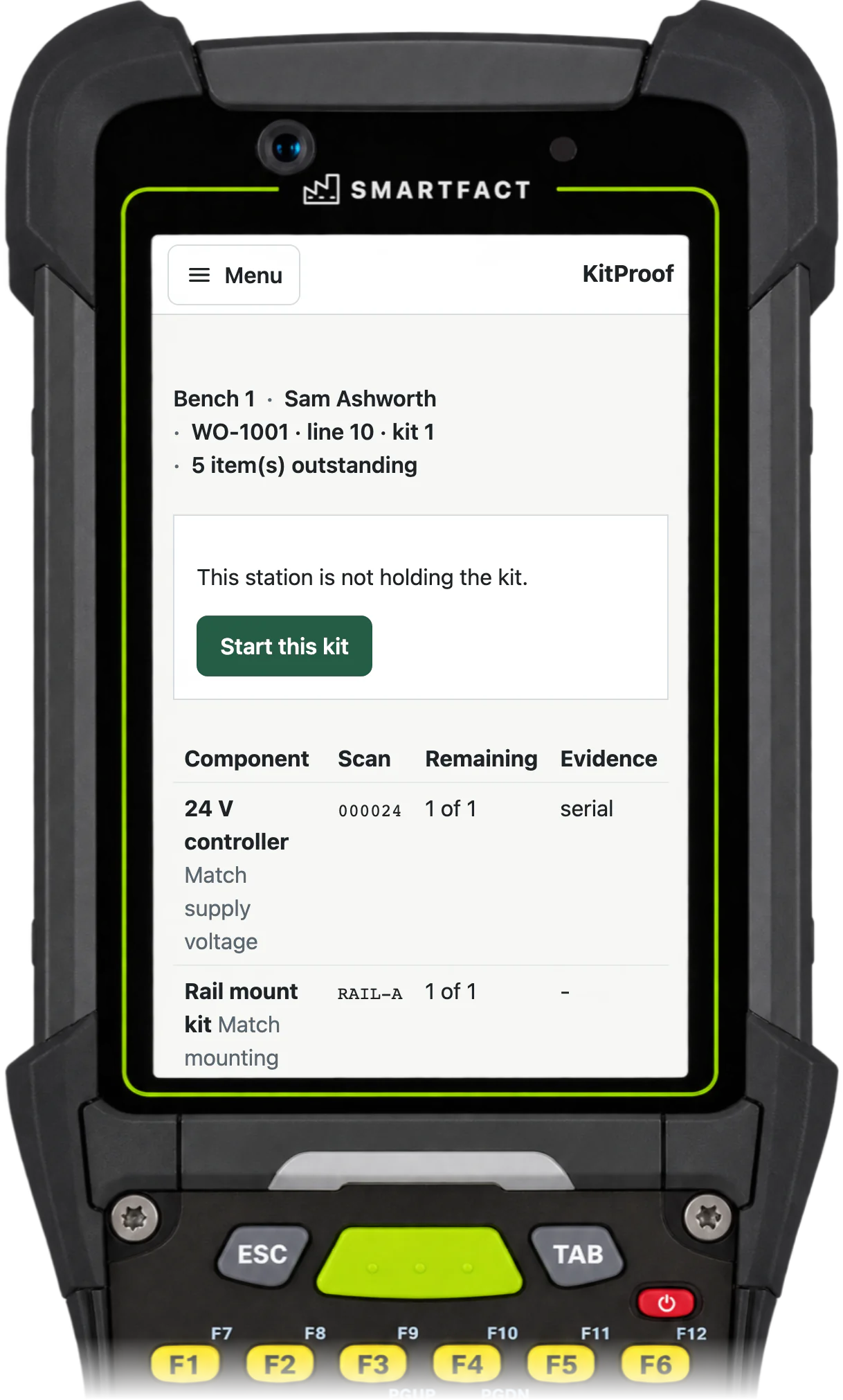
Configuration holds the components with their exact barcodes and approved aliases, the parts each kit family needs and in what quantity, and the conditions that read the order’s options. A condition is described in words for SmartFACT to propose, or built in a structured editor. In the example control box kit, the order’s supply voltage chooses the 24 V controller, its mounting method the rail mount kit and its region the EU guide, and the spares option adds two fuses. If no rule fills a required part, the kit is blocked instead of issued with a gap.
Before a configuration is used, it is checked against example kits whose expected parts someone has written down independently, including exclusions, missing information and alternatives. Operators receive the result as a checklist; they never interpret the rules themselves.
How do orders arrive?
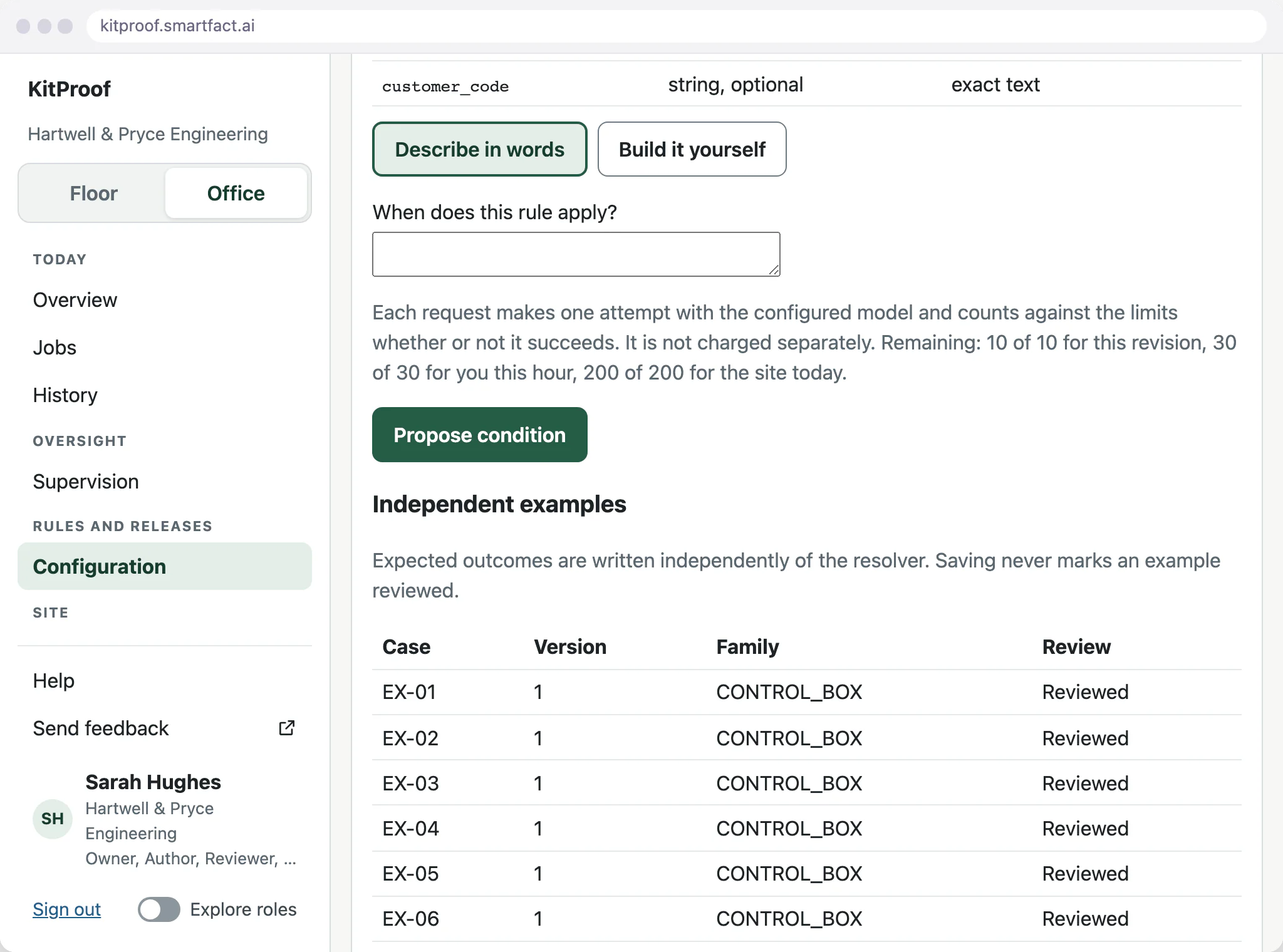
Orders arrive as a CSV export from your order system. Uploading the file makes a preview, showing the rows, jobs, order revisions and any mapping problems, and the kits the options produce. Nothing changes until the file is accepted.
Acceptance checks the whole file again. A file with any problem is rejected as a whole, so orders are never half imported. Each accepted kit becomes ready to check at the bench.
How is a rule change proved before use?
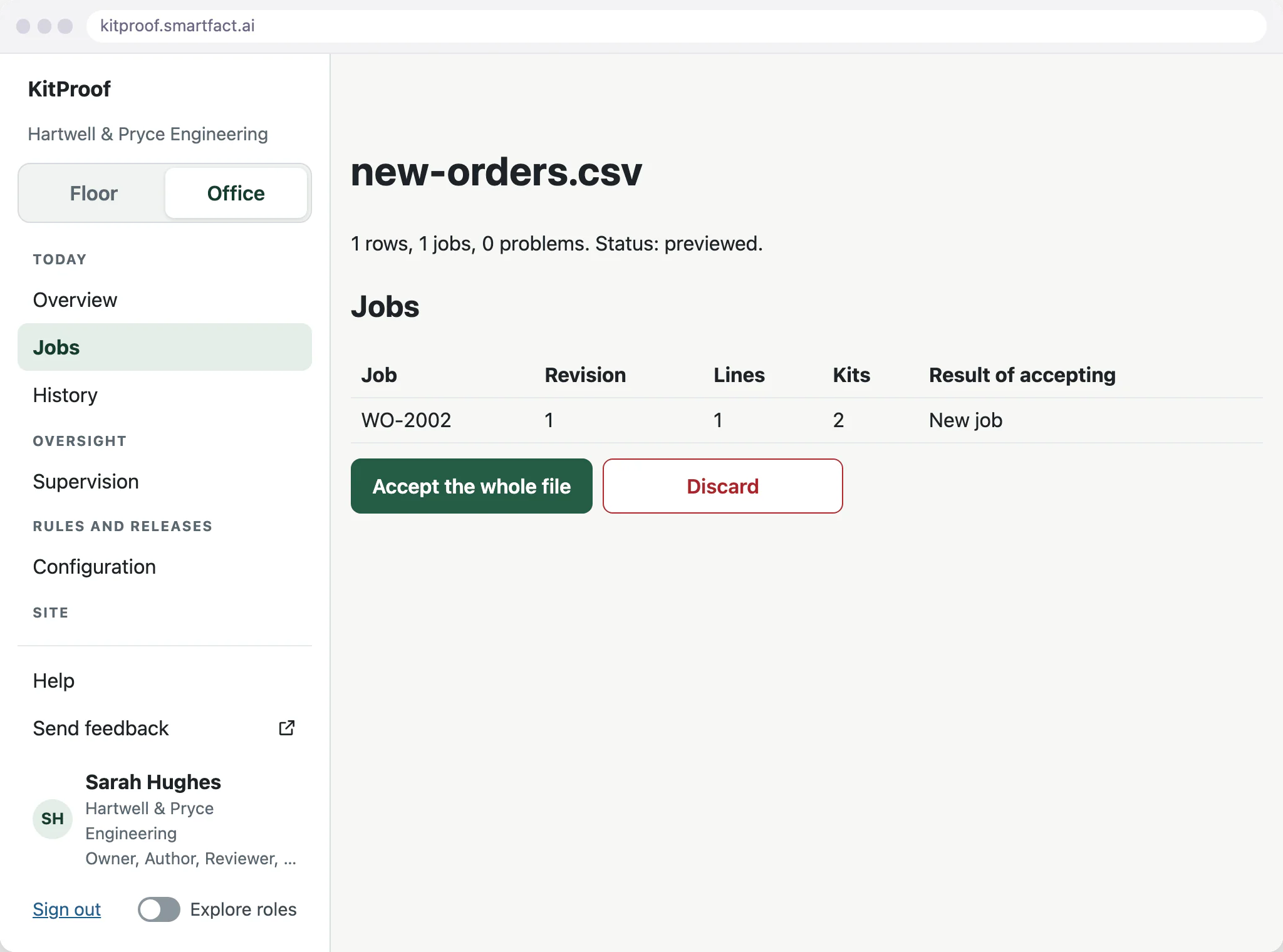
A change starts as a draft. Freezing the draft as a candidate fixes that revision, and verifying the candidate runs the example kits and checks their coverage. A candidate that fails cannot be activated: you correct the draft, or an expectation that was wrong, and verify a fresh candidate.
Activating a passing candidate uses it for new work. Kits already in progress keep the requirements they started with.
What the kitting bench sees
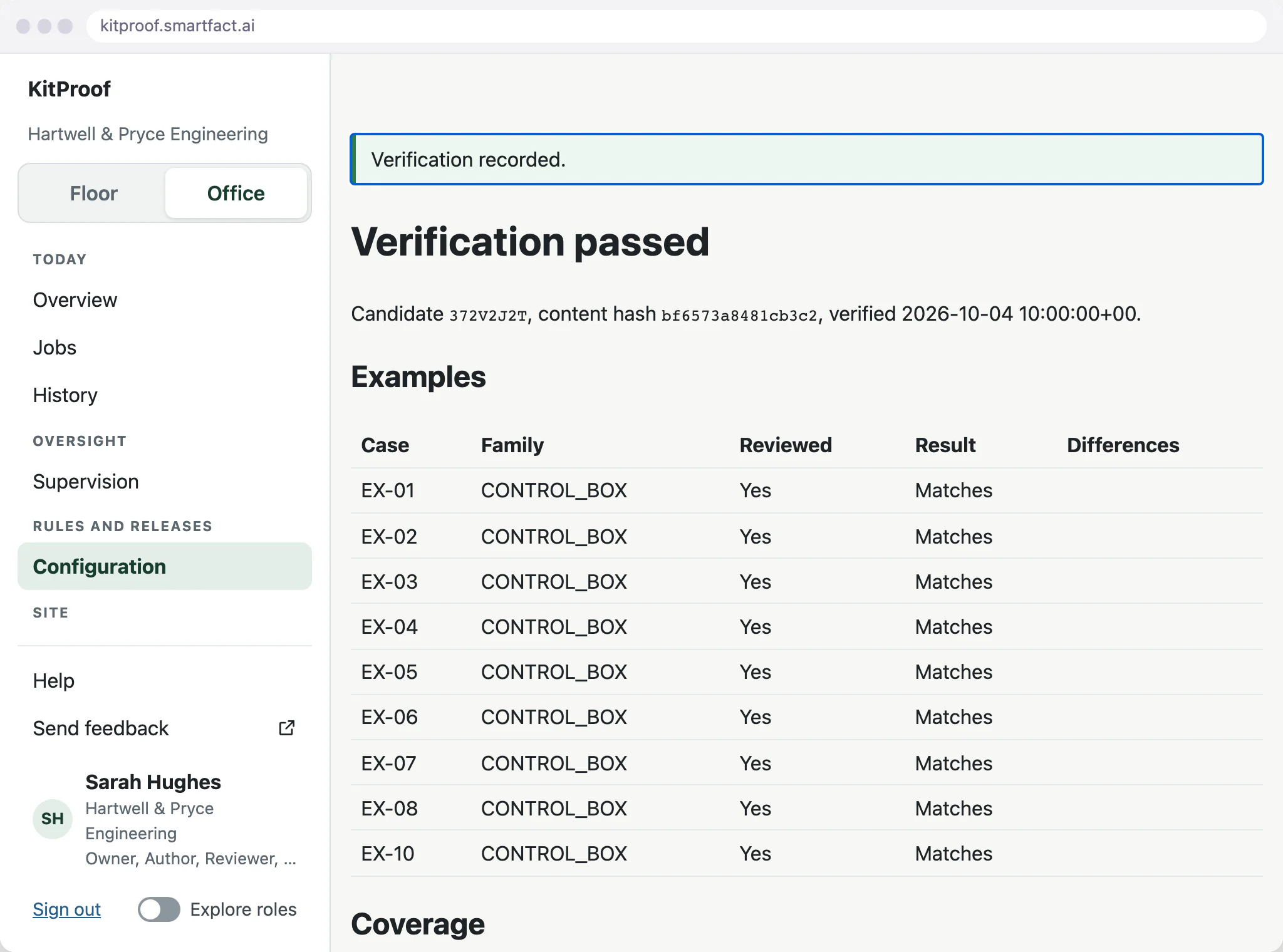
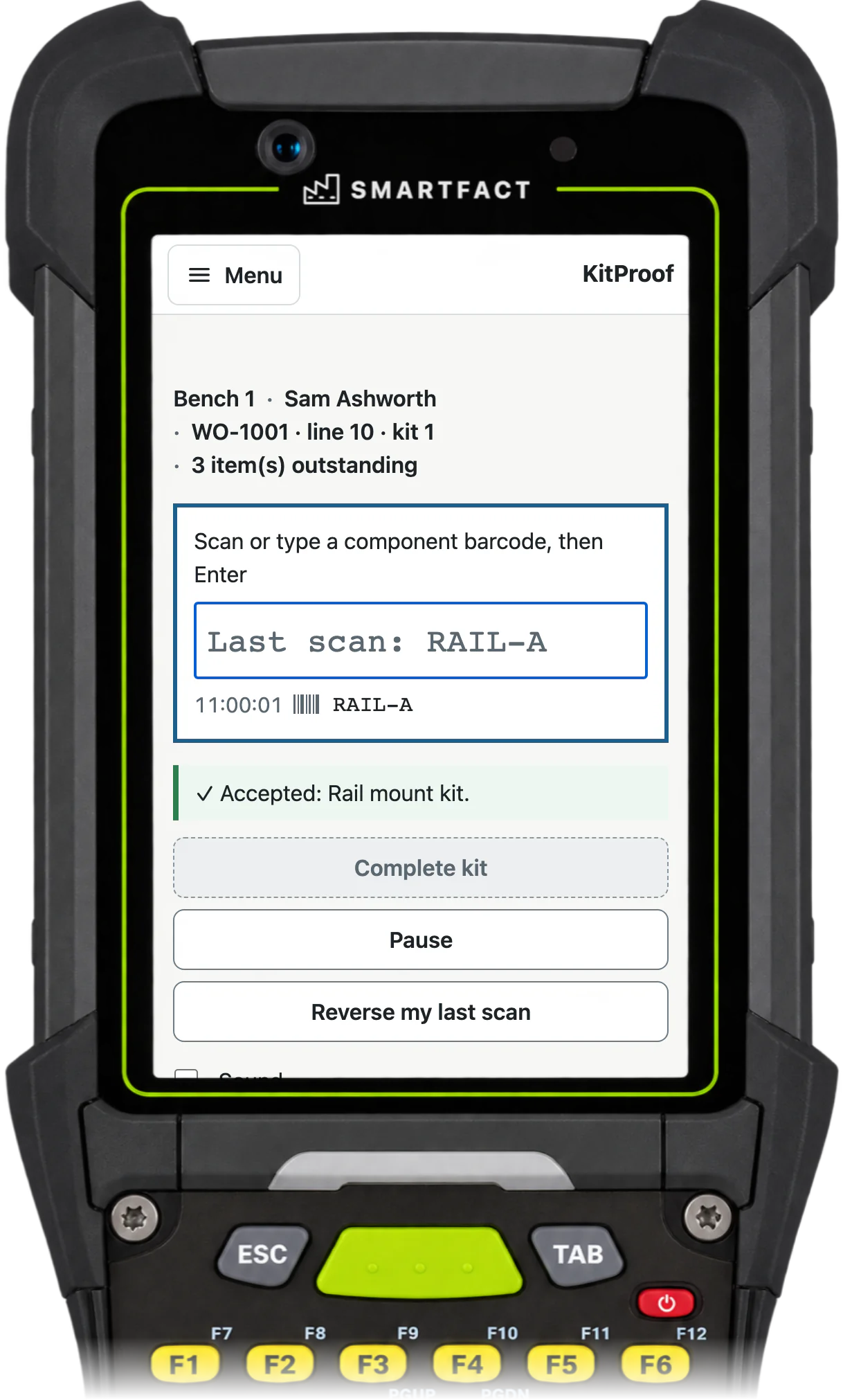
The operator scans the kit reference, or types the job reference, and sees the kit’s checklist. Each scan is checked against it: a wrong part or one too many is rejected, a serial-numbered part waits for its serial, and the kit can be completed only when nothing is outstanding.
What happens when an order changes?
A genuine change to an order comes in with a higher revision. The job is then held for a supervisor, its kits are checked again against the new list, and kits already completed keep their original result with a note that the order changed.
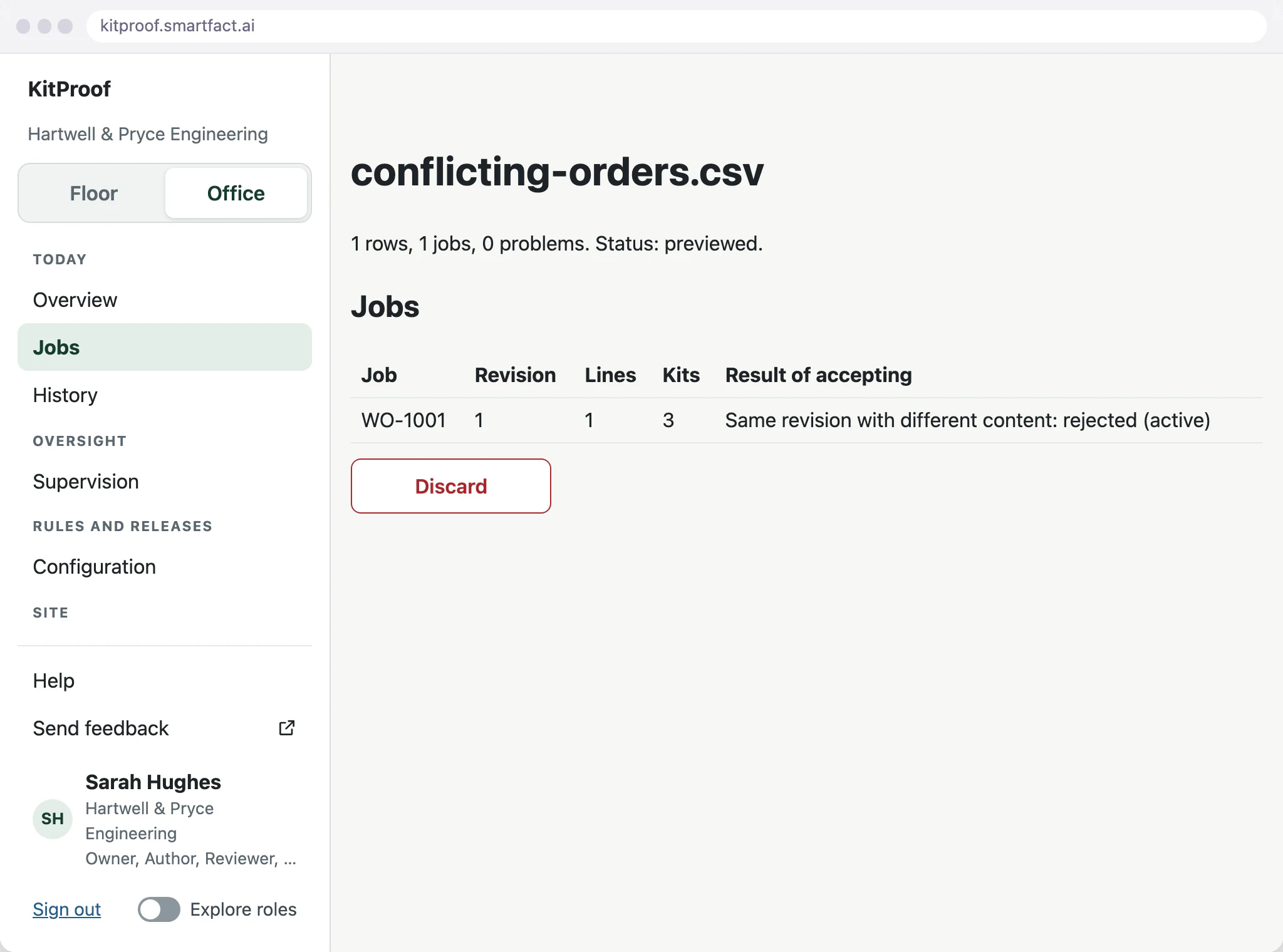
A file that changes an order without raising its revision is blocked as a conflict. Discarding it leaves accepted work untouched, and the corrected export is uploaded for a fresh preview.
What KitProof does not do
- Stock deduction or a stock ledger. Completing a kit does not change your stock records.
- SKU bundling, where separate products are sold together as one new item.
- E-commerce order fulfilment or shipping.
- Pick-to-light, weighing or other hardware beyond a barcode scanner.
- Native ERP connectors. Orders arrive as a CSV export or a ConfigSheets feed, and an ERP is connected as a paid integration through data.smartfact.ai.
Common questions
What does kitting mean in manufacturing?
Kitting means gathering every part a job needs into one kit before assembly, so a missing or wrong part is found at the kitting bench instead of on the line. The page “What is kitting in manufacturing?” explains it in more detail.
What does KitProof automate?
Approved rules generate the component checklist for each kit from its order options. The station then matches each scan against the expected identifiers and quantities and shows missing or unexpected parts. People still assemble the kit, scan its components and authorise any permitted exceptions.
Do we have to replace our order software?
No. KitProof works alongside it, starting from a CSV export of your orders. Your order system remains the source of each job and its options.
Start free at one station and pay when you grow. While SmartFACT is in early access, we set your first workflow up with you.


